
We are happy to announce that you can now sign in to the Corette Library database, UpToDate, using your existing Carroll College Microsoft single sign-on account. The username and password is the same as for Okta and Microsoft and an account with UpToDate will be automatically created for you using these credentials if you don't already have one. If you do have an existing account with UpToDate, you can merge your account with your Carroll Microsoft account and keep your UpToDate search history, saved resources, and settings. Library staff are prepared to help you with this process. See below!
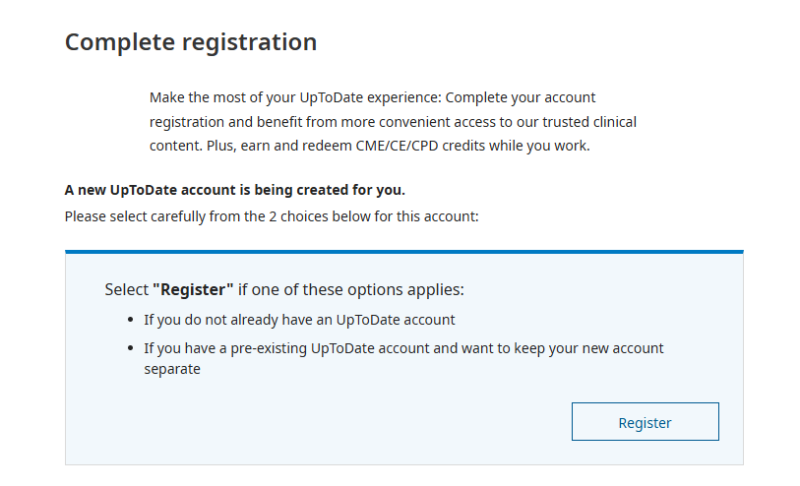
If you haven't used UpToDate before, you can click "Register" and an UpToDate account will be created for you using your Carroll College Microsoft/Okta account login information.
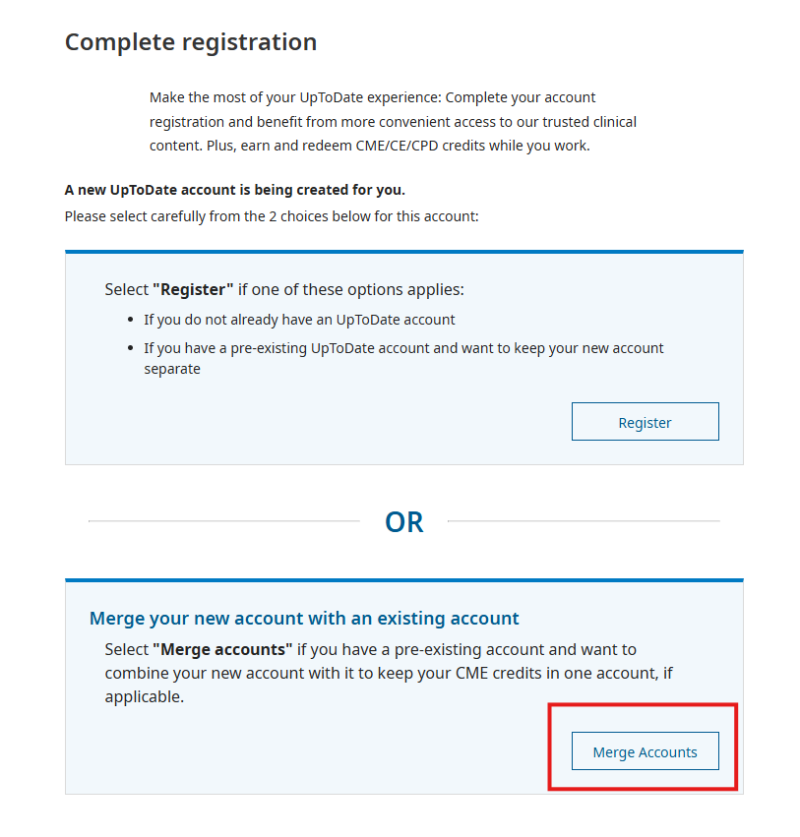
If you have an UpToDate account you can click "Merge Accounts" and enter the username and password for your original UpToDate account and your account will merge with your Carroll College Microsoft account.
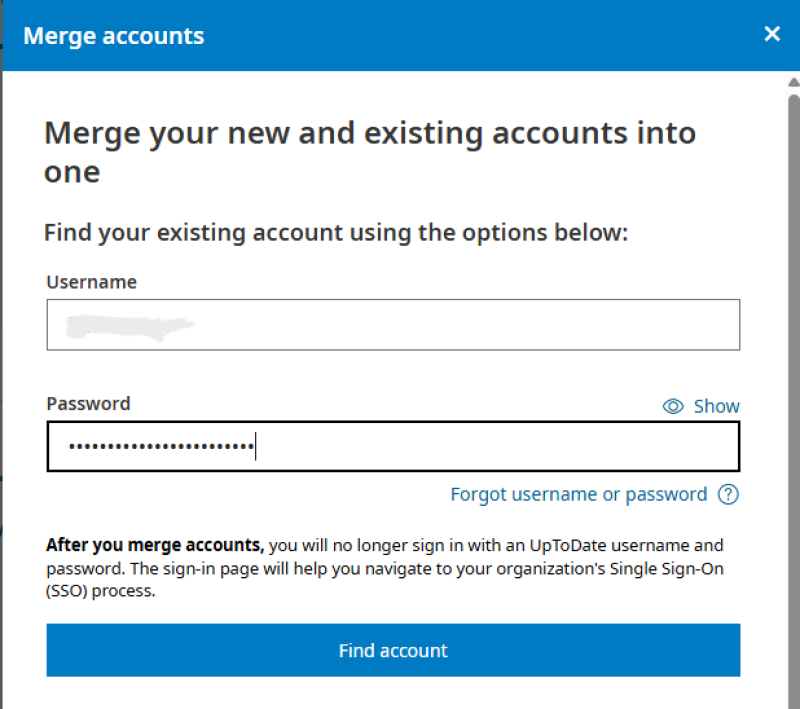
In the "Merge Accounts" page, enter the username and password for your second account and select "Find Account."
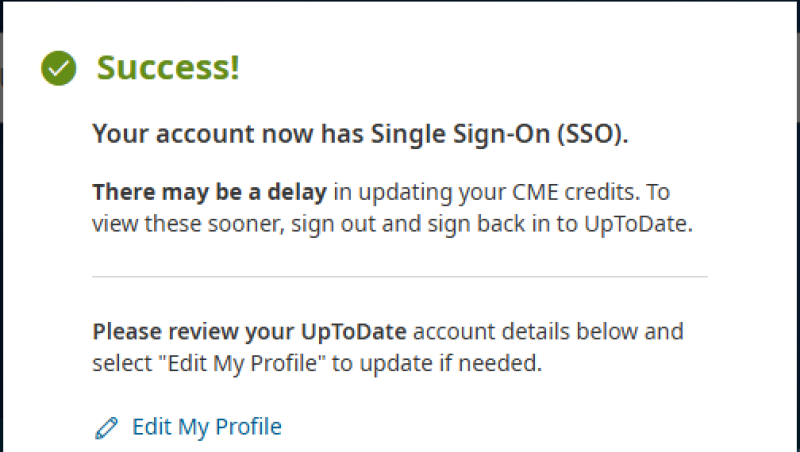
After your account is found, you should see a dialog box appear that indicates the accounts are merged and you now can use SSO through Carroll College to sign in to your account. You may need to update your UpToDate profile information after merging.
Once you've registered or merged accounts, you can click "Sign in with Carroll College" to sign in using SSO in the future.
Click the button below to access UpToDate and register or to merge your UpToDate account with your Carroll College Microsoft account. You can also find UpToDate on the Library Databases page of our website.