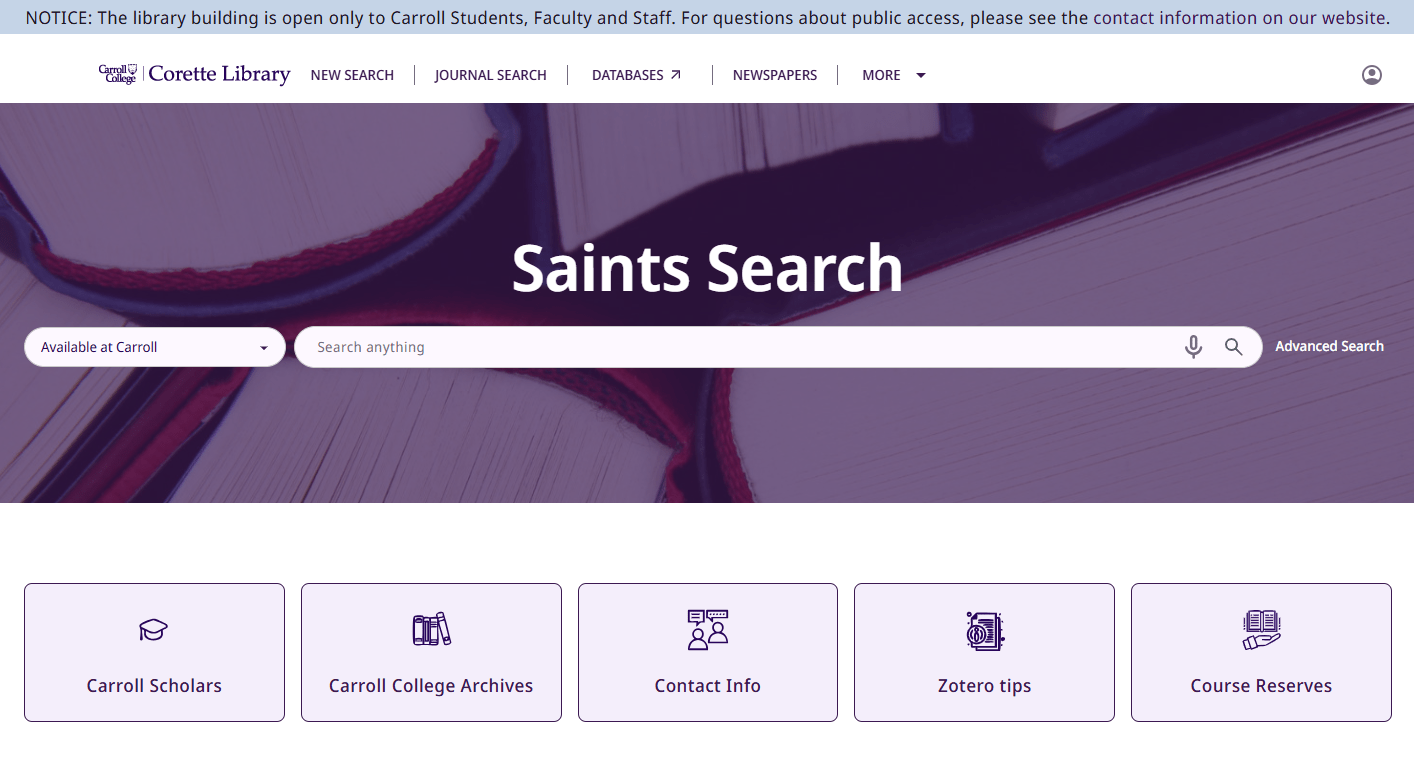
The Corette Library's catalog, Saints Search, has been updated with a new user interface! This is an overall improvement to the catalog's user friendliness, mobile device usability, accessibility, and gives it a more modern look and feel as well as new and improved features to help with your research. Give it a try here!
Here's some of the highlights of what's new with Saints Search:
- You can now navigate directly from Saints Search to other library websites such as Carroll Scholars, and the Digital Archives with fewer clicks necessary.
- Looking for your course reserves? You can now go straight to all of the current semester's reserved course materials that professors place on loan through the library, with just the click of a button!
- Voice searching is available in multiple languages and dialects from the microphone button on the search bar (available only in browsers that support speech recognition. Try it in Google Chrome!).
- The library account page has been improved and now better supports viewing past search history, saved searches and items, and viewing everything you have checked out, including interlibrary loans.
- Searching now includes a "did you mean?" feature that will suggest corrections for typos or for the use of related search terms.
- If you prefer to search on the go, you can click "More" at the top of the page, and select "QR" to get a QR code to scan with your phone or other device. This will send the exact page you were on, including your search results, to your phone or tablet so you can pick up right where you left off!
More Saints Search and library support features are coming soon, so watch this space!